



(FWA 2026/4/30)Tax season is approaching! Filing for Tax Year 2025 officially runs from May 1 to June 1, 2026. Please note that since May 1 is Labor Day and a national holiday, over-the-counter services at tax bureaus will be closed, but the online e-filing system will remain open 24/7. To help you prepare, FWA has put together this comprehensive 2025 Taiwan income tax e-filing guide for foreigners, outlining the latest updates—including the newly introduced Taiwan FidO mobile login method—and essential pro tips to help you avoid common pitfalls.
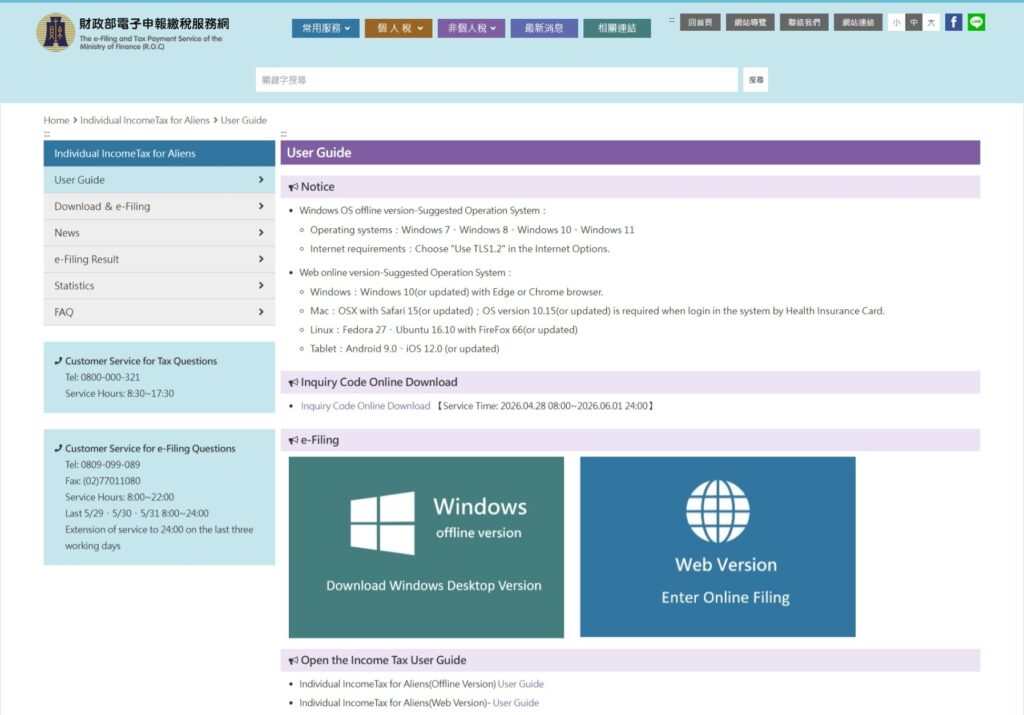
Tax Calculation Formula at a Glance
- Net Taxable Income = Gross Income – Exemptions – Deductions – Basic Living Expense Difference
- Tax Payable = (Net Taxable Income × Tax Rate) – Progressive Difference
2025 Exemptions and Standard Deductions
- Personal Exemption: NT$97,000
- Standard Deduction: NT$131,000 for single filers / NT$262,000 for married couples filing jointly.
- Special Deduction for Salary or Wages: NT$218,000 (This amount can be directly subtracted from your total salary income).
- Basic Living Expense: NT$213,000 per person (If your total basic living expense exceeds the combined sum of your exemptions and deductions, the basic living expense difference can be deducted from your gross income).
Tax Brackets and Withholding Rates
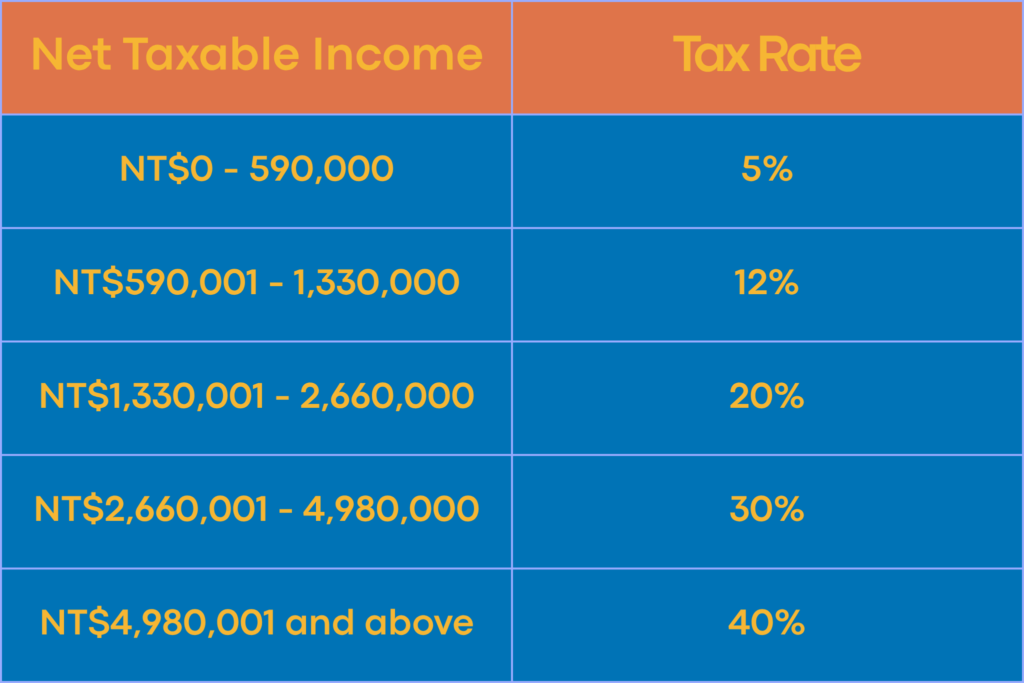
For Tax Residents (Residing in Taiwan for 183 days or more):
- NT$0 – 590,000: 5%
- NT$590,001 – 1,330,000: 12%
- NT$1,330,001 – 2,660,000: 20%
- NT$2,660,001 – 4,980,000: 30%
- NT$4,980,001 and above: 40%
For Non-Residents (Residing in Taiwan for less than 183 days):
- If your monthly salary exceeds NT$41,205 (1.5x minimum wage): 18% tax withholding rate.
- If your monthly salary is NT$41,205 or below: 6% tax withholding rate.
Will I Get a Tax Refund?
To qualify for a tax refund, you must meet two criteria:
- Resident Status: You must have stayed in Taiwan for at least 183 days during the taxable year (Note: The day you enter Taiwan does not count).
- Overpaid Taxes: You must complete your annual tax filing. A refund is issued only if your final “Tax Payable” is lower than the tax already withheld throughout the year.
Pro Tip: The e-Gate Trap
The tax authorities calculate your resident days based on official entry and exit records. If you frequently utilize the automated e-Gate system at the airport, your passport will lack physical stamps. To prevent miscalculations that could affect your tax rate, you can apply for a “Certificate of Entry and Exit Dates” directly from the National Immigration Agency.
How to File Your Taxes Online
While you can file in person, using the official web-based Alien Individual Income Tax E-Filing System is highly recommended. The interface is available entirely in English.
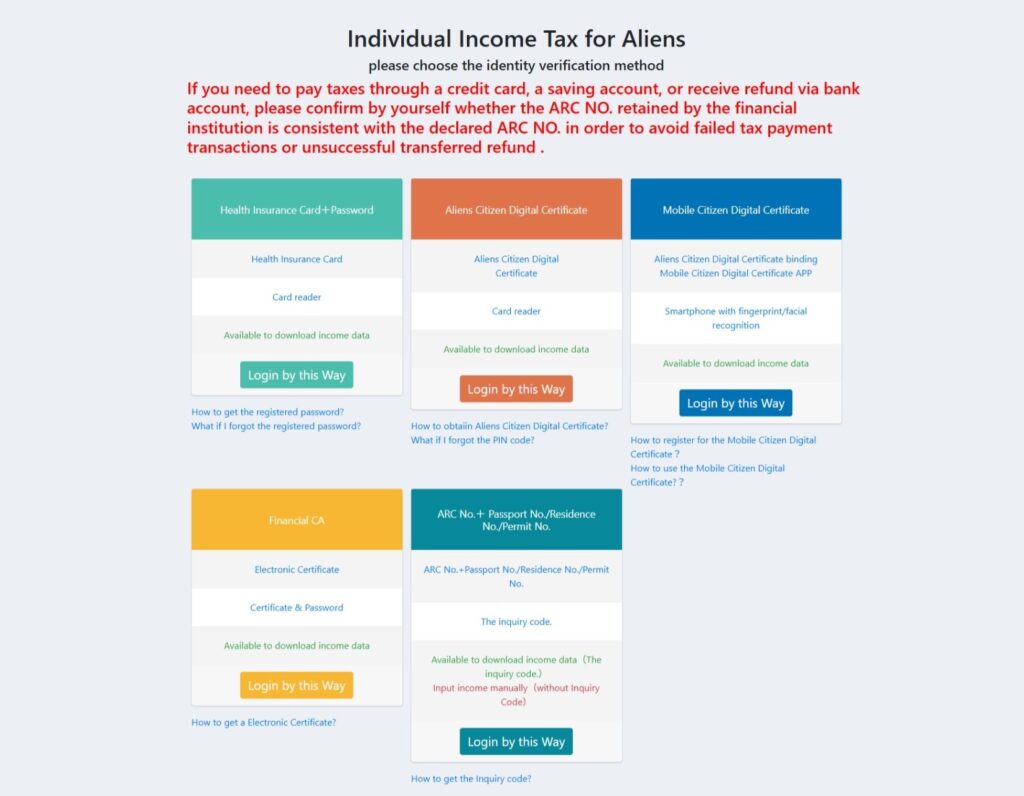
Online Login Methods:
- NHI Card + Password: Requires your National Health Insurance card and a smart card reader. First-timers must register a password online.
- Taiwan FidO (Mobile Identity Verification) [NEW]: Requires the “Taiwan FidO” app and a smartphone. You must first obtain a physical Alien Citizen Digital Certificate IC card before binding it to your phone.
- Alien Citizen Digital Certificate: Requires the physical IC card and a card reader.
- Financial Certificate: Requires an electronic certificate issued by your bank.
- UI No. + Passport/ARC No. + Query Code: Obtain this Query Code at the tax bureau, or print it at a convenience store multimedia kiosk using a registered NHI card.
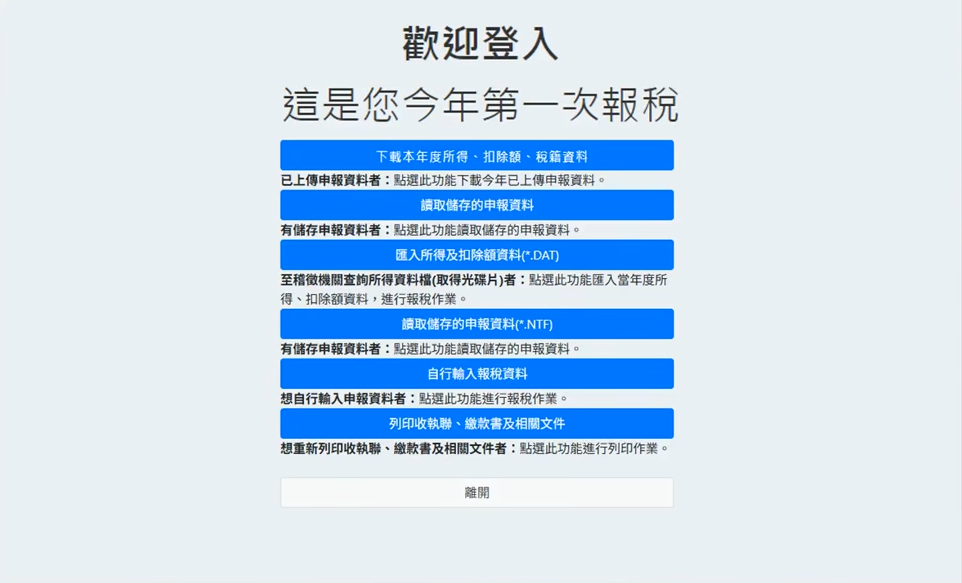
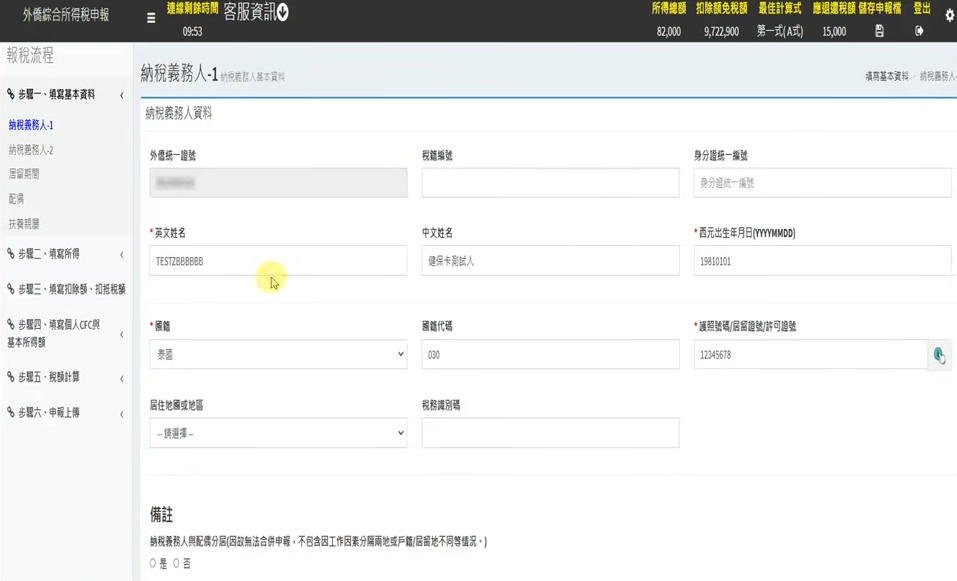
Once logged in, click “Download Data” to import your officially reported annual income and deductions. The system does the math for you!
Diverse Tax Payment Methods
Once your online filing is calculated, you can settle your tax bill using these methods:
- Over-the-Counter: Print the barcode payment slip and pay at most major banks (excluding post offices) or convenience stores (if the bill is under NT$30,000).
- Tax Payment by Account Transfer (Direct Debit): Enter your bank/post office account details during online filing for automatic deduction on the deadline.
- Credit Card: Obtain authorization directly during online filing.
- Online Transfer: Use a chip ATM card and card reader, or enter your demand deposit account details (if logged in via digital certificate/NHI card).
- ATM Transfer / Mobile Payment Apps: Use supported e-payment apps (like JKO Pay or iPASS MONEY) or any ATM with a tax payment function.
Important: Mailing Supporting Documents
If you choose the Standard Deduction, you usually don’t need to do anything else after clicking submit. However, if you opt for Itemized Deductions (e.g., claiming medical expenses, donations, or rent), you must mail or deliver all original physical receipts and vouchers to your local National Taxation Bureau before the deadline.
Late Filing Notice
If you miss the June 1 deadline, online filing will be disabled. You must visit your local National Taxation Bureau in person to file a supplementary tax return and make a supplementary payment. You may avoid penalties if you voluntarily report before an investigation begins, though interest will still apply.
New Guide: Filing with the Taiwan FidO App
Apply for the Physical IC Card: Bring your valid ARC to a National Immigration Agency service center to verify your identity and apply in person.
Pay Online: Go to the MOICA website to check your application status and pay the fee. You will receive the physical card in about 7-10 working days, after which you must activate it online.
Bind the Mobile APP: With the physical card and a card reader ready, download the “Taiwan FidO” app on your phone. Go to the FIDO registration page (https://fido.moi.gov.tw/pt/) to complete the binding process.
※If you are confused by the system, you can call the National Taxation Bureau’s English-speaking toll-free hotline during office hours: +886-2-2311-3711 Ext. 1116.